Display paths
Paths can be displayed by adding them into UnlMapViewPathCollection. The UnlMapViewPathCollection is an iterable collection, having fields like size, add, remove, removeAt, getPathAt and getPathByName.
- Kotlin
- Java
// Kotlin
mapView.preferences?.paths?.add(path)
// Java
if (mapView.getPreferences() != null) {
    mapView.getPreferences().getPaths().add(path);
}
The add method of UnlMapViewPathCollection includes optional parameters for customizing the appearance of paths on the map, such as border, fill, szBorder, and szInner. To center the map on a path, use the UnlMapView.centerOnArea() method with the path's area retrieved from the area property.
- Kotlin
- Java
// Kotlin
mapView.preferences?.paths?.add(
    path,
    border = Rgba.black(),
    fill = Rgba.orange(),
    szBorder = 0.5,
    szInner = 1.0
)

path.area?.let { mapView.centerOnArea(it) }
// Java
if (mapView.getPreferences() != null) {
    mapView.getPreferences().getPaths().add(
        path,
        Rgba.black(),   // border
        Rgba.orange(),  // fill
        0.5,            // szBorder
        1.0             // szInner
    );
}

if (path.getArea() != null) {
    mapView.centerOnArea(path.getArea());
}
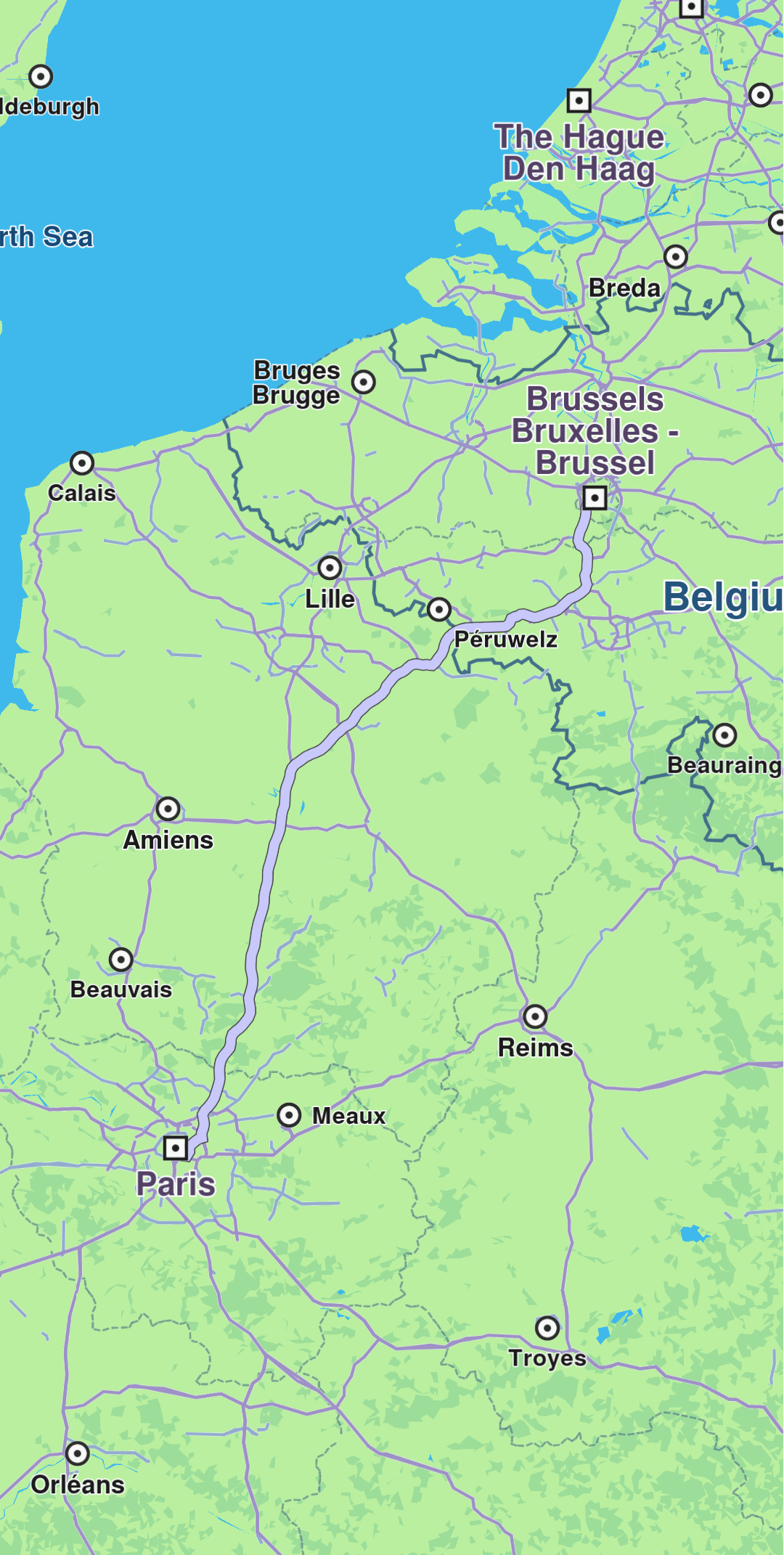
Path displayed
Convenience methods
The UnlMapView class provides convenient methods for displaying and managing paths:
Display paths
- Kotlin
- Java
// Kotlin
// Display a single path
mapView.displayPath(path, border = Rgba.black(), fill = Rgba.orange())

// Display multiple paths
mapView.displayPaths(pathsList, border = Rgba.black(), fill = Rgba.orange())
// Java
// Display a single path
mapView.displayPath(path, Rgba.black(), Rgba.orange());

// Display multiple paths
mapView.displayPaths(pathsList, Rgba.black(), Rgba.orange());
Present a path with centering
- Kotlin
- Java
// Kotlin
// Present a path and automatically center the map on it
mapView.presentPath(
    path = path,
    border = Rgba.black(),
    fill = Rgba.orange(),
    doCenterOn = true,
    animation = Animation(EAnimation.Linear, 1000),
    zoomLevel = -1 // Automatic zoom level selection
)
// Java
// Present a path and automatically center the map on it
mapView.presentPath(
    path,
    Rgba.black(),                            // border
    Rgba.orange(),                           // fill
    true,                                    // doCenterOn
    new Animation(EAnimation.Linear, 1000),  // animation
    -1                                       // Automatic zoom level selection
);
Remove paths
- Kotlin
- Java
// Kotlin
// Hide a specific path
mapView.hidePath(path)

// Remove all paths from the map
mapView.preferences?.paths?.clear()

// Remove a specific path from the collection
mapView.preferences?.paths?.remove(path)

// Remove a path by index
mapView.preferences?.paths?.removeAt(index)
// Java
// Hide a specific path
mapView.hidePath(path);

// Remove all paths from the map
if (mapView.getPreferences() != null) {
    mapView.getPreferences().getPaths().clear();

    // Remove a specific path from the collection
    mapView.getPreferences().getPaths().remove(path);

    // Remove a path by index
    mapView.getPreferences().getPaths().removeAt(index);
}
Working with path collections
- Kotlin
- Java
// Kotlin
SdkCall.execute {
    mapView.preferences?.paths?.let { pathCollection ->
        // Add a path with custom appearance
        pathCollection.add(
            path,
            border = Rgba(255, 0, 0, 255), // Red border
            fill = Rgba(0, 255, 0, 255),   // Green fill
            szBorder = 1.0,                // Border size in mm
            szInner = 2.0                  // Inner size in mm
        )

        // Get collection size
        val pathCount = pathCollection.size

        // Get a path by index
        val firstPath = pathCollection.getPathAt(0)

        // Get a path by name
        val namedPath = pathCollection.getPathByName("My Path")

        // Get path colors and sizes
        val borderColor = pathCollection.getBorderColorAt(0)
        val fillColor = pathCollection.getFillColorAt(0)
        val borderSize = pathCollection.getBorderSizeAt(0)
        val innerSize = pathCollection.getInnerSizeAt(0)
    }
}
// Java
SdkCall.execute(() -> {
    if (mapView.getPreferences() != null) {
        UnlMapViewPathCollection pathCollection = mapView.getPreferences().getPaths();

        // Add a path with custom appearance
        pathCollection.add(
            path,
            new Rgba(255, 0, 0, 255), // Red border
            new Rgba(0, 255, 0, 255), // Green fill
            1.0,                      // Border size in mm
            2.0                       // Inner size in mm
        );

        // Get collection size
        int pathCount = pathCollection.getSize();

        // Get a path by index
        UnlPath firstPath = pathCollection.getPathAt(0);

        // Get a path by name
        UnlPath namedPath = pathCollection.getPathByName("My UnlPath");

        // Get path colors and sizes
        Rgba borderColor = pathCollection.getBorderColorAt(0);
        Rgba fillColor = pathCollection.getFillColorAt(0);
        double borderSize = pathCollection.getBorderSizeAt(0);
        double innerSize = pathCollection.getInnerSizeAt(0);
    }
});
Creating paths from GPX data
- Kotlin
- Java
// Kotlin
SdkCall.execute {
    // Load a path from GPX file in assets
    val input = applicationContext.resources.assets.open("gpx/route.gpx")
    val path = UnlPath.produceWithGpx(input)

    path?.let {
        // Display the path on the map
        mapView.presentPath(it, border = Rgba.blue(), fill = Rgba.cyan())
    }
}
// Java
SdkCall.execute(() -> {
    // Load a path from GPX file in assets
    InputStream input = getApplicationContext().getResources().getAssets().open("gpx/route.gpx");
    UnlPath path = UnlPath.produceWithGpx(input);

    if (path != null) {
        // Display the path on the map
        mapView.presentPath(path, Rgba.blue(), Rgba.cyan());
    }
});
To remove all paths from the map use UnlMapViewPathCollection.clear(). To remove selectively, use UnlMapViewPathCollection.remove(path) or UnlMapViewPathCollection.removeAt(index).